
Introduction
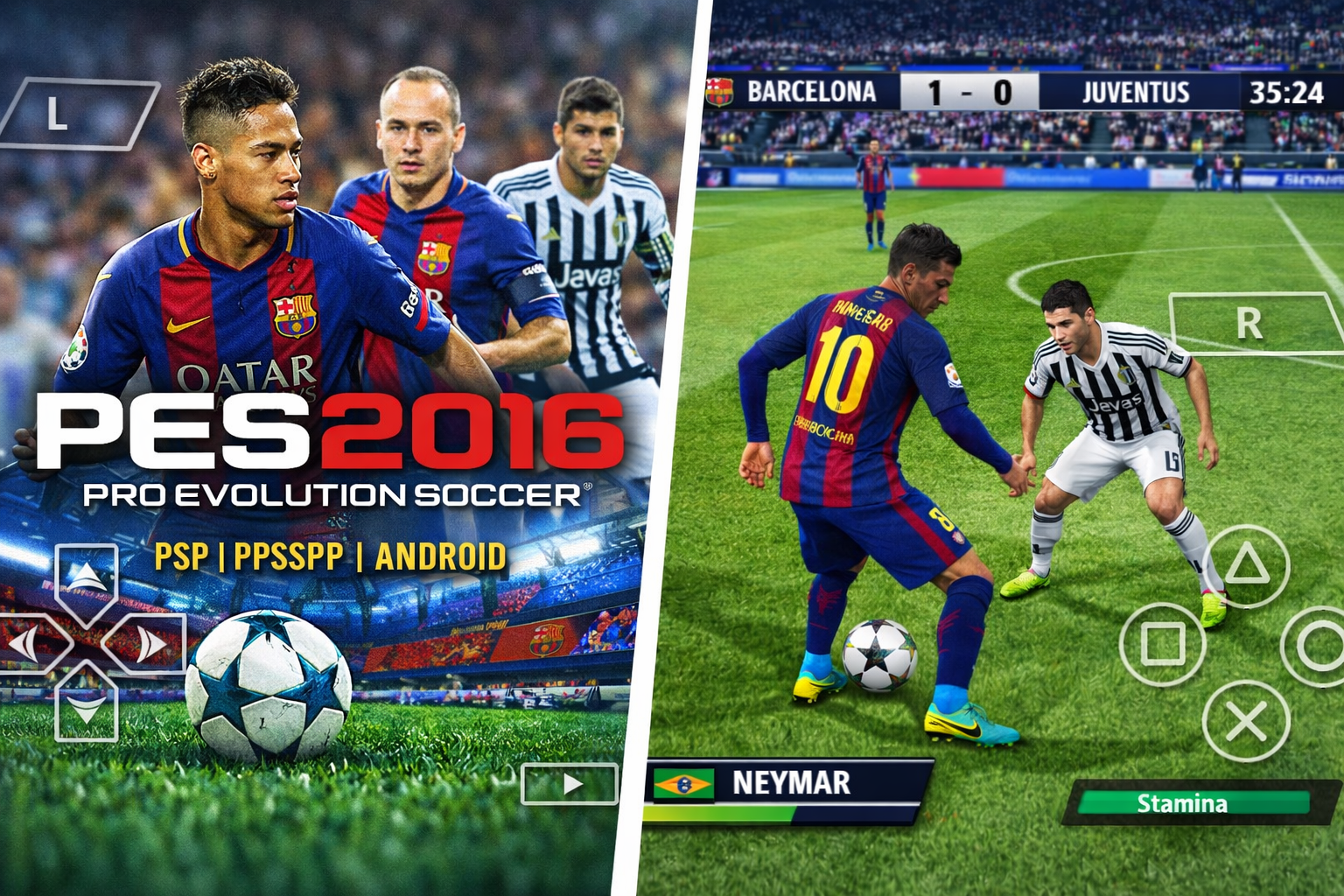
PES 2016 PPSSPP ISO is one of the most popular Pro Evolution Soccer editions for mobile devices. Football fans around the world can now enjoy realistic football matches, smooth gameplay, and updated teams directly on Android smartphones and tablets using the PPSSPP emulator.
Unlike other mobile football games, this version is a direct PSP ISO port, which means it preserves the authentic PES 2016 experience while being optimized for mobile devices. Whether you’re a long-time PES player or just discovering the series, this game provides a full football simulation with detailed graphics, realistic player movements, and customizable controls.
In this article, we’ll cover everything you need to know:
- Game overview and history
- Features in detail
- Why you should download it
- Step-by-step installation guide
- System requirements and device tips
- Comparison with other PES editions
- Performance optimization tips
- Bulk Gamer safety assurance
- Download section
Game Overview
PES 2016, developed by Konami, is known for its realistic football mechanics, enhanced AI, and smooth animations. The PPSSPP ISO version brings this experience to Android devices.
Key highlights of this edition:
- Classic PES gameplay preserved
- Updated 2016 season teams and players
- Realistic ball physics and stadium atmosphere
- Fully optimized for PPSSPP emulator
This edition also comes with modded kits and updated transfers, giving you a near-console football experience on a handheld device. Players can enjoy offline matches, tournaments, and custom leagues.
Key Features of PES 2016 PPSSPP ISO
1️⃣ Realistic Football Gameplay
PES 2016 focuses on ball control, player movements, and tactical plays. Unlike generic mobile football games, the gameplay feels authentic and requires strategy and skill.
2️⃣ Updated Teams & Players
- Complete roster updates for the 2016 season
- Accurate player stats and abilities
- Realistic kits and logos for each club
- Transfers updated to reflect the 2016 season
3️⃣ HD Graphics and Stadiums
- High-resolution textures for players and stadiums
- Smooth animations and ball physics
- Authentic crowd reactions for an immersive match-day feel
4️⃣ Offline Mode
- Play anywhere without internet
- Tournaments, leagues, and friendly matches
- No interruptions while on the go
5️⃣ PPSSPP Optimization
- Optimized ISO for Android devices
- Supports low-end devices with minimal lag
- Configurable FPS, resolution, and shadows
6️⃣ Custom Controls
- Adjust on-screen buttons to your preference
- Supports external controllers
- Smooth responsiveness for dribbles, shots, and passes
Why You Should Download PES 2016 PPSSPP ISO
Downloading PES 2016 PPSSPP ISO gives you several advantages:
- Portable Football Gaming: Play classic PES on your mobile anytime.
- Console-Like Experience: PPSSPP brings PSP gameplay with HD graphics.
- Updated Roster: Enjoy the real 2016 teams and player stats.
- Offline Support: No need for internet; play anywhere, anytime.
- Performance Optimization: Smooth FPS and responsive controls for a better gaming experience.
- Trusted Source: Bulk Gamer ensures all files are verified and safe.
This version is perfect for football fans, mobile gamers, and PES enthusiasts who want a complete portable football experience.
System Requirements
To enjoy PES 2016 PPSSPP ISO on Android, your device should meet the following:
| Feature | Minimum | Recommended |
|---|---|---|
| Android OS | 5.0+ | 10+ |
| RAM | 1GB | 3GB+ |
| Storage | 300MB | 1GB+ |
| Emulator | PPSSPP latest version | PPSSPP latest version |
| Processor | Quad-Core | Octa-Core |
| Graphics | Basic | HD / Smooth FPS |
Tips: Devices with 2GB+ RAM and Octa-Core processors will give the smoothest gameplay with HD textures and stable FPS.
How to Install PES 2016 PPSSPP ISO on Android
Follow these simple steps:
- Install PPSSPP Emulator on your Android device from the Play Store.
- Download the PES 2016 ISO file from the download section below.
- Open PPSSPP → Navigate to the ISO file in your device storage.
- Adjust graphics settings for optimal performance:
- Resolution: 1x–2x
- FPS limit: 60
- Shadows: On or Off based on device capability
- Launch the game and enjoy smooth PES 2016 matches.
⚡ Pro Tip: Use devices with 3GB+ RAM for best performance, especially with HD stadium textures.
Comparison with Other PES Editions
| Feature | PES 2016 PPSSPP | PES 2017 PPSSPP | PES 2018 PPSSPP |
|---|---|---|---|
| Teams & Players | 2016 season | 2017 season | 2018 season |
| Graphics | HD | HD+ | HD / PS4 Camera Mod |
| Offline Play | ✔ Yes | ✔ Yes | ✔ Yes |
| Controls | Customizable | Customizable | Customizable |
| ISO File Size | 300–500MB | 400–600MB | 500–700MB |
| Emulator | PPSSPP | PPSSPP | PPSSPP |
Verdict: PES 2016 PPSSPP ISO is perfect for classic football gameplay, while PES 2017 and 2018 bring updated graphics and camera angles.
Performance Optimization Tips
- Enable Buffered Rendering for smoother graphics
- Use Frameskip on low-end devices
- Adjust Rendering Resolution for HD textures without lag
- Close background apps to free RAM
- External controller support enhances gameplay precision
Bulk Gamer Safety Assurance
All PES 2016 files provided by Bulk Gamer are:
- Fully tested and verified
- Safe and virus-free
- Optimized for PPSSPP emulator
- Include step-by-step guides for hassle-free installation
Trust Bulk Gamer for secure downloads and smooth gameplay.
Download PES 2016 PPSSPP ISO
Download PES 2016 PPSSPP ISO for Android
✅ Safe and tested by Bulk Gamer
Conclusion
PES 2016 PPSSPP ISO is a must-have for football fans who want a portable, console-like football experience on Android. With smooth gameplay, HD graphics, offline support, updated teams, and responsive controls, this edition gives you the best PES 2016 experience on mobile.
Whether you’re a PES veteran or a casual mobile gamer, this ISO provides hours of fun and realistic football action, all from your smartphone or tablet.